Build mobile money into your app — fast.
A single API to accept and send payments across Zambia, Zimbabwe, Botswana, and Namibia. Integrate in minutes, scale across borders.
Sandbox:
HTTPS only — HTTP is rejected with 301.
What is NexaPay?
NexaPay is a unified mobile money API built by Elicate Technologies Limited that lets developers charge customers and send payouts across Southern Africa — without separate integrations for each telco. One API key, one SDK, four countries.
Supported Countries
Response Format
// Success
{ "status": "success", "data": { "transaction_id": "txn_01J...", "status": "pending" } }
// Error
{ "status": "error", "message": "Invalid phone", "error_code": "INVALID_PHONE", "errors": {} }How It Works
Environments
| Environment | Base URL | Key prefix | Real money? |
|---|---|---|---|
| Live | npay_live_sec_ / npay_live_pub_ | Yes — real transactions | |
| Sandbox | npay_test_sec_ / npay_test_pub_ | No — simulated only |
Supported Operations by Country
| Feature | ZM Zambia | ZW Zimbabwe | BW Botswana | NA Namibia |
|---|---|---|---|---|
| Charge (collect) | ||||
| Payout (disburse) | ||||
| Payment Links | ||||
| Checkout SDK | ||||
| Batch payouts | ||||
| USD collection | — | — | — |
Up and running in 5 minutes
Accept your first mobile money payment in three steps — all 4 countries, all networks.
Step-by-Step
Charge — All 4 Countries
// Zambia — ZMW · MTN | AIRTEL | ZAMTEL
const res = await fetch('https://api.nexapay.net/v2/payments/charge', {
  method: 'POST',
  headers: { 'Authorization': `Bearer ${process.env.NEXAPAY_SK}`, 'Content-Type': 'application/json' },
  body: JSON.stringify({
    phone_number: '260971234567', // MTN 096x/076x · Airtel 097x/077x · Zamtel 095x
    amount: 50000, // 500.00 ZMW (in ngwee)
    currency: 'ZMW', network: 'MTN',
    reference: 'ZM-ORD-001', description: 'Order #001'
  })
});
const { data } = await res.json(); // data.transaction_id, data.status
# Zambia — ZMW · AIRTEL
import requests, os
r = requests.post('https://api.nexapay.net/v2/payments/charge',
headers={'Authorization':f"Bearer {os.environ['NEXAPAY_SK']}"},
json={'phone_number':'260977654321','amount':50000,
'currency':'ZMW','network':'AIRTEL','reference':'ZM-ORD-001'})
print(r.json()['data']['transaction_id'])// Zambia — ZMW · ZAMTEL
$r = json_decode(file_get_contents('https://api.nexapay.net/v2/payments/charge', false,
stream_context_create(['http'=>['method'=>'POST',
'header'=>"Authorization: Bearer {$sk}\r\nContent-Type: application/json\r\n",
'content'=>json_encode(['phone_number'=>'260955123456',
'amount'=>50000,'currency'=>'ZMW','network'=>'ZAMTEL','reference'=>'ZM-ORD-001'])]]])), true);curl -X POST https://api.nexapay.net/v2/payments/charge \
-H "Authorization: Bearer npay_test_sec_..." \
-H "Content-Type: application/json" \
-d '{"phone_number":"260971234567","amount":50000,"currency":"ZMW","network":"MTN","reference":"ZM-ORD-001"}'// Zimbabwe — ZiG · ECOCASH | ONEMONEY · also accepts USD
const res = await fetch('https://api.nexapay.net/v2/payments/charge', {
method: 'POST',
headers: { 'Authorization': `Bearer ${process.env.NEXAPAY_SK}`, 'Content-Type': 'application/json' },
body: JSON.stringify({
phone_number: '263771234567', // EcoCash 077x · OneMoney 071x
amount: 2000, // 20.00 ZiG
currency: 'ZiG', network: 'ECOCASH',
reference: 'ZW-ORD-001', description: 'Electricity token'
})
});# Zimbabwe — USD · ONEMONEY
r = requests.post('https://api.nexapay.net/v2/payments/charge',
headers={'Authorization':f"Bearer {sk}"},
json={'phone_number':'263711234567','amount':500,
'currency':'USD','network':'ONEMONEY','reference':'ZW-ORD-002'})curl -X POST https://api.nexapay.net/v2/payments/charge \
-H "Authorization: Bearer npay_test_sec_..." \
-d '{"phone_number":"263771234567","amount":2000,"currency":"ZiG","network":"ECOCASH","reference":"ZW-ORD-001"}'// Botswana — BWP · ORANGE | MASCOM
const res = await fetch('https://api.nexapay.net/v2/payments/charge', {
method: 'POST',
headers: { 'Authorization': `Bearer ${process.env.NEXAPAY_SK}`, 'Content-Type': 'application/json' },
body: JSON.stringify({
phone_number: '26774123456', // Orange 074x · Mascom 071x
amount: 8500, // 85.00 BWP
currency: 'BWP', network: 'ORANGE',
reference: 'BW-ORD-001'
})
});# Botswana — BWP · MASCOM MyZaka
r = requests.post('https://api.nexapay.net/v2/payments/charge',
headers={'Authorization':f"Bearer {sk}"},
json={'phone_number':'26771123456','amount':5000,
'currency':'BWP','network':'MASCOM','reference':'BW-ORD-002'})curl -X POST https://api.nexapay.net/v2/payments/charge \
-H "Authorization: Bearer npay_test_sec_..." \
-d '{"phone_number":"26774123456","amount":8500,"currency":"BWP","network":"ORANGE","reference":"BW-ORD-001"}'// Namibia — NAD · MTC | FNB
const res = await fetch('https://api.nexapay.net/v2/payments/charge', {
method: 'POST',
headers: { 'Authorization': `Bearer ${process.env.NEXAPAY_SK}`, 'Content-Type': 'application/json' },
body: JSON.stringify({
phone_number: '264811234567', // MTC 081x · FNB eWallet 060x
amount: 35000, // 350.00 NAD
currency: 'NAD', network: 'MTC',
reference: 'NA-ORD-001'
})
});# Namibia — NAD · FNB eWallet
r = requests.post('https://api.nexapay.net/v2/payments/charge',
headers={'Authorization':f"Bearer {sk}"},
json={'phone_number':'264601234567','amount':20000,
'currency':'NAD','network':'FNB','reference':'NA-ORD-002'})curl -X POST https://api.nexapay.net/v2/payments/charge \
-H "Authorization: Bearer npay_test_sec_..." \
-d '{"phone_number":"264811234567","amount":35000,"currency":"NAD","network":"MTC","reference":"NA-ORD-001"}'Install the SDK
Testing in Sandbox
Use npay_test_sec_… keys with the sandbox base URL https://sandbox.nexapay.net/v2. No real money moves. Use the test phone numbers below to simulate different outcomes.
| Phone number | Network | Simulated outcome |
|---|---|---|
| 260970000001 | MTN Zambia | payin.success after ~5 seconds |
| 260970000002 | MTN Zambia | payin.failed — CUSTOMER_DECLINED |
| 260970000003 | MTN Zambia | payin.failed — TIMEOUT (90 s) |
| 260970000004 | MTN Zambia | payin.failed — INSUFFICIENT_FUNDS |
| 260970000009 | MTN Zambia | 500 — INTERNAL_ERROR (for error handling tests) |
| 263770000001 | EcoCash Zimbabwe | payin.success |
| 26774000001 | Orange Botswana | payin.success |
| 264810000001 | MTC Namibia | payin.success |
Testing Webhooks Locally
During development, expose your local server using a tunnel so NexaPay can reach it. Use ngrok, Cloudflare Tunnel, or the NexaPay webhook test command from the sandbox. Register the tunnel URL as your webhook endpoint in the dashboard, then run your test charge.
# 1 — Expose local server
ngrok http 3000

# 2 — Register the tunnel URL as your webhook
curl -X POST https://sandbox.nexapay.net/v2/webhooks \
  -H "Authorization: Bearer npay_test_sec_..." \
  -d '{"url":"https://abc123.ngrok.io/webhooks/nexapay","events":["payin.success","payin.failed"]}'

# 3 — Run a test charge
curl -X POST https://sandbox.nexapay.net/v2/payments/charge \
  -H "Authorization: Bearer npay_test_sec_..." \
-d '{"phone_number":"260970000001","amount":50000,"currency":"ZMW","network":"MTN","reference":"TEST-001"}'Secure your API requests
Bearer token auth on every request. Two key types — secret for servers, public for clients.
Adding the Authorization Header
const headers = {
  'Authorization': `Bearer ${process.env.NEXAPAY_SK}`,
  'Content-Type':  'application/json'
};
const res = await fetch('https://api.nexapay.net/v2/...', { headers });
import os, requests
session = requests.Session()
session.headers.update({'Authorization':f"Bearer {os.environ['NEXAPAY_SK']}",'Content-Type':'application/json'})$headers = ['Authorization: Bearer '.getenv('NEXAPAY_SK'),'Content-Type: application/json'];curl https://api.nexapay.net/v2/balance -H "Authorization: Bearer npay_live_sec_..."Auth Error Codes
Test vs Live Keys
| Attribute | Test (npay_test_sec_) | Live (npay_live_sec_) |
|---|---|---|
| Real money | No | Yes |
| Base URL | sandbox.nexapay.net/v2 | api.nexapay.net/v2 |
| Webhook events | Simulated | Real |
| Rate limits | Relaxed (300 req/min) | Standard (60 req/min) |
| Dashboard | Test section | Live section |
Rotating Keys Safely
Rotate your API keys without downtime using a two-step process: create a new key, deploy your updated environment variable, then deactivate the old key only after confirming the new key is in use.
IP Whitelisting
Restrict your secret key to specific server IPs to prevent misuse if a key is leaked. Go to dashboard → Settings → IP Whitelist and add your server's egress IPs. Once a whitelist is set, requests from any other IP receive IP_NOT_ALLOWED (403). Leave the whitelist empty for no IP restriction.
Charge mobile wallets — 4 countries
POST /v2/payments/charge — accepts ZMW, ZiG, USD, BWP, NAD.
Request Parameters
| Parameter | Type | Description |
|---|---|---|
| phone_numberrequired | string | E.164 without + — e.g. 260971234567, 263771234567, 26774123456, 264811234567 |
| amountrequired | integer | Smallest unit: ngwee (ZMW), thebe (BWP), cents (ZiG/USD/NAD) |
| currencyrequired | string | ZMW · ZiG · USD · BWP · NAD |
| networkrequired | string | See networks table below per country |
| referencerequired | string | Your unique order ref. Max 64 chars. Must be globally unique. |
| descriptionoptional | string | Shown to customer during payment prompt |
| callback_urloptional | string | Per-transaction webhook override (HTTPS) |
| metadataoptional | object | Any key/value pairs stored on the transaction |
Network Codes by Country
Phone Prefix Lookup
Live Request Builder
Drop-in payment UI in one line
Embed a fully styled, mobile-ready checkout modal with a single script tag. Supports all 4 countries automatically.
<script src="https://js.nexapay.net/v2/checkout.js"></script>
<button onclick="pay()">Pay Now</button>
<script>
function pay() {
  NexaPayCheckout.create({
    public_key: 'npay_live_pub_...',
    amount:     5000,    // in smallest unit
    currency:  'ZMW',   // ZMW | ZiG | USD | BWP | NAD
    reference: 'ORDER-001',
    customer: { name: 'Jane Banda', email: 'jane@example.com' },
    onSuccess: (d) => console.log(d.transaction_id),
    onClose:   () => console.log('closed')
  }).open();
}
</script>
import { useCallback } from 'react';
export function PayButton({ amount, currency, reference }) {
const pay = useCallback(() => {
window.NexaPayCheckout?.create({
public_key: process.env.REACT_APP_NEXAPAY_PK,
amount, currency, reference
}).open();
}, [amount, currency, reference]);
return <button onClick={pay}>Pay with NexaPay</button>;
}<template><button @click="pay">Pay</button></template>
<script setup>
const pay = () =>
window.NexaPayCheckout?.create({
public_key: import.meta.env.VITE_NEXAPAY_PK,
amount: 5000, currency: 'BWP', reference: 'BW-VUE-001'
}).open();
</script>'use client';
import Script from 'next/script';
export function CheckoutButton() {
return (
<>
<Script src="https://js.nexapay.net/v2/checkout.js" strategy="lazyOnload" />
<button onClick={() =>
window.NexaPayCheckout?.create({
public_key: process.env.NEXT_PUBLIC_NEXAPAY_PK,
amount: 35000, currency: 'NAD', reference: 'NA-NEXT-001'
}).open()}>Pay</button>
</>
);
}All Configuration Options
| Option | Type | Required | Description |
|---|---|---|---|
| public_key | string | required | Your npay_live_pub_… or npay_test_pub_… public key. Never use the secret key here. |
| amount | integer | required | Amount in smallest currency unit (ngwee, thebe, cents). |
| currency | string | required | ZMW · ZiG · USD · BWP · NAD |
| reference | string | required | Your unique order reference. Max 64 chars. |
| string | optional | Pre-fills the customer's email on the checkout form. | |
| phone | string | optional | Pre-fills the phone number field. E.164 without +. |
| name | string | optional | Customer display name shown on checkout. |
| description | string | optional | Short order description shown in the checkout modal. Max 120 chars. |
| logo | string (URL) | optional | Your logo URL shown at the top of the checkout modal. Must be HTTPS. |
| color | string (hex) | optional | Brand accent color for the checkout button and highlights. E.g. #3b5bdb |
| countries | string[] | optional | Restrict which country tabs are shown. E.g. ['ZM','ZW']. Default: all. |
| onSuccess | function | optional | Client-side callback with the payment object. Do not use to fulfill — use webhook instead. |
| onClose | function | optional | Called when the user closes the modal without completing payment. |
| onError | function | optional | Called if the SDK fails to load or an unexpected error occurs. |
Themed Checkout Example
NexaPayCheckout.create({
  public_key:  'npay_live_pub_...',
  amount:      120000,
  currency:    'ZMW',
  reference:   'ORD-001',
  description: 'Annual Premium Plan',
  logo:        'https://myapp.com/logo.png',
  color:       '#1a6b3a',         // overrides the default brand blue
  countries: ['ZM'],              // only show Zambia tab
  phone:       '260971234567',  // pre-fill phone
  onSuccess:   txn => {
    // txn.transaction_id, txn.status — for UI only
    document.querySelector('#status').textContent = 'Payment received — confirming…';
  },
  onClose:     () => console.log('User closed checkout'),
  onError:     err => console.error('SDK error', err)
}).open();Share a link, get paid instantly
Create fixed or flexible payment links — no coding needed on the customer's side.
Create a Link — All Countries
const { data } = await (await fetch('https://api.nexapay.net/v2/payment-links', {
  method: 'POST', headers: { 'Authorization': `Bearer ${SK}`, 'Content-Type': 'application/json' },
  body: JSON.stringify({ title: 'School Fees Term 3', amount: 120000, currency: 'ZMW', amount_type: 'fixed' })
})).json();
console.log(data.url); // → https://pay.nexapay.net/l/abc123
curl -X POST https://api.nexapay.net/v2/payment-links \
-H "Authorization: Bearer npay_live_sec_..." \
-d '{"title":"School Fees","amount":120000,"currency":"ZMW","amount_type":"fixed"}'// Zimbabwe — flexible USD link (customer sets amount)
body: JSON.stringify({ title: 'Donate', currency: 'USD', type: 'flexible' })curl -X POST https://api.nexapay.net/v2/payment-links \
-H "Authorization: Bearer npay_live_sec_..." \
-d '{"title":"Donate","currency":"USD","type":"flexible"}'// Botswana — fixed BWP subscription link
body: JSON.stringify({ title: 'Monthly Sub', amount: 20000, currency: 'BWP', amount_type: 'fixed' })curl -X POST https://api.nexapay.net/v2/payment-links \
-d '{"title":"Monthly Sub","amount":20000,"currency":"BWP","amount_type":"fixed"}'// Namibia — fixed NAD invoice link
body: JSON.stringify({ title: 'Invoice #882', amount: 45000, currency: 'NAD', amount_type: 'fixed' })curl -X POST https://api.nexapay.net/v2/payment-links \
-d '{"title":"Invoice #882","amount":45000,"currency":"NAD","amount_type":"fixed"}'Request Parameters — POST /v2/payment-links
| Parameter | Type | Description |
|---|---|---|
| titlerequired | string | Displayed on the payment page. Max 120 chars. E.g. School Fees Term 3 |
| currencyrequired | string | ZMW · ZiG · USD · BWP · NAD |
| amount_typerequired | string | fixed — set amount; flexible — customer sets amount; pwyw — pay-what-you-want with a minimum |
| amountoptional | integer | Required when amount_type=fixed. Smallest currency unit (ngwee/thebe/cents). Omit for flexible/pwyw links. |
| min_amountoptional | integer | Minimum accepted amount for type=pwyw or flexible links. |
| descriptionoptional | string | Longer description shown below the title on the payment page. Max 500 chars. |
| redirect_urloptional | string | URL to redirect the customer to after payment. Must be HTTPS. |
| expires_atoptional | ISO 8601 | Deactivates the link at this UTC timestamp. E.g. 2025-12-31T23:59:00Z |
| max_usesoptional | integer | Auto-deactivate after N successful payments. Default: unlimited. |
| collect_emailoptional | boolean | If true, the payment page prompts for the customer's email address. Default: false. |
| collect_nameoptional | boolean | If true, prompts for full name. Default: false. |
| metadataoptional | object | Up to 10 key-value pairs. Echoed back in webhook payloads for your reference. |
Response Body
{
  "status": "success",
  "data": {
    "id":          "pl_01J9XKABCDEF",
    "url":         "https://pay.nexapay.net/l/abc123",
    "qr_url":      "https://api.nexapay.net/v2/payment-links/pl_01J9XK.../qr",
    "title":       "School Fees Term 3",
    "currency":    "ZMW",
    "type":        "fixed",
    "amount":      120000,
    "status":      "active",
    "usage_count": 0,
    "max_uses": null,
    "expires_at":  null,
    "created_at":  "2025-09-01T10:22:00Z"
  }
}
Link Types
List & Manage Links
// List all payment links (paginated)
const list = await (await fetch(
  'https://api.nexapay.net/v2/payment-links?status=active&page=1&limit=20',
  { headers: { Authorization: `Bearer ${SK}` } }
)).json();

// Update a link (change title or deactivate)
await fetch('https://api.nexapay.net/v2/payment-links/pl_01J9XK...', {
  method: 'PATCH',
  headers: { 'Authorization': `Bearer ${SK}`, 'Content-Type': 'application/json' },
  body: JSON.stringify({ status: 'inactive' })  // deactivate
});

// Get QR code PNG (returns binary, save as .png)
const qr = await fetch(
  'https://api.nexapay.net/v2/payment-links/pl_01J9XK.../qr',
  { headers: { Authorization: `Bearer ${SK}` } }
);
# List active links
curl 'https://api.nexapay.net/v2/payment-links?status=active&limit=20' \
-H "Authorization: Bearer npay_live_sec_..."
# Deactivate a link
curl -X PATCH https://api.nexapay.net/v2/payment-links/pl_01J9XK... \
-H "Authorization: Bearer npay_live_sec_..." \
-d '{"status":"inactive"}'
# Download QR code PNG
curl https://api.nexapay.net/v2/payment-links/pl_01J9XK.../qr \
-H "Authorization: Bearer npay_live_sec_..." \
--output link-qr.pngLink Status Lifecycle
A payment link moves through these statuses: active → inactive (manually deactivated or expired) or completed (max_uses reached). Inactive and completed links return a friendly expiry page to the customer. You can reactivate an inactive link via PATCH — but not a completed one.
Send money to any mobile wallet
Disburse funds to customers, suppliers, or agents across all 4 countries from your NexaPay wallet balance.
Send Payout — All Countries
// Zambia payout — ZMW · MTN | AIRTEL | ZAMTEL
await fetch('https://api.nexapay.net/v2/payouts', {
  method: 'POST',
  headers: { 'Authorization': `Bearer ${SK}`, 'Content-Type': 'application/json' },
  body: JSON.stringify({
    phone_number:   '260971234567',
    amount:         100000,  // 1,000 ZMW
    currency:       'ZMW',
    network:        'MTN',
    reference:      'POUT-ZM-001',
    recipient_name: 'John Phiri',
    narration:      'Commission'
  })
});
# Zambia payout — ZMW · AIRTEL
requests.post('https://api.nexapay.net/v2/payouts',
headers={'Authorization':f"Bearer {sk}"},
json={'phone_number':'260977654321','amount':50000,
'currency':'ZMW','network':'AIRTEL','reference':'POUT-ZM-002'})curl -X POST https://api.nexapay.net/v2/payouts \
-H "Authorization: Bearer npay_live_sec_..." \
-d '{"phone_number":"260971234567","amount":100000,"currency":"ZMW","network":"MTN","reference":"POUT-ZM-001","recipient_name":"John Phiri"}'// Zimbabwe payout — USD · ECOCASH
body: JSON.stringify({
phone_number: '263771234567', amount: 1000,
currency: 'USD', network: 'ECOCASH',
reference: 'POUT-ZW-001', recipient_name: 'Mary Dube'
})curl -X POST https://api.nexapay.net/v2/payouts \
-H "Authorization: Bearer npay_live_sec_..." \
-d '{"phone_number":"263771234567","amount":1000,"currency":"USD","network":"ECOCASH","reference":"POUT-ZW-001"}'// Botswana payout — BWP · ORANGE
body: JSON.stringify({
phone_number: '26774123456', amount: 15000,
currency: 'BWP', network: 'ORANGE',
reference: 'POUT-BW-001', recipient_name: 'Thabo Mokoena'
})curl -X POST https://api.nexapay.net/v2/payouts \
-d '{"phone_number":"26774123456","amount":15000,"currency":"BWP","network":"ORANGE","reference":"POUT-BW-001"}'// Namibia payout — NAD · MTC | FNB
body: JSON.stringify({
phone_number: '264811234567', amount: 50000,
currency: 'NAD', network: 'MTC',
reference: 'POUT-NA-001', recipient_name: 'Ndapewa Simon'
})curl -X POST https://api.nexapay.net/v2/payouts \
-d '{"phone_number":"264811234567","amount":50000,"currency":"NAD","network":"MTC","reference":"POUT-NA-001"}'Request Parameters — POST /v2/payouts
| Parameter | Type | Description |
|---|---|---|
| phone_numberrequired | string | Recipient's number in E.164 format without +. E.g. 260971234567, 263771234567 |
| amountrequired | integer | Smallest currency unit. 100000 = 1,000 ZMW. Must be ≥ the per-network minimum. |
| currencyrequired | string | ZMW · ZiG · USD · BWP · NAD |
| networkrequired | string | Must match the recipient's network. ZMW: MTN·AIRTEL·ZAMTEL; ZiG/USD: ECOCASH·ONEMONEY; BWP: ORANGE·MASCOM; NAD: MTC·FNB |
| referencerequired | string | Your unique payout reference. Max 64 chars. Used for idempotency — duplicate references return the original payout. |
| recipient_nameoptional | string | Shown in your dashboard and payout receipts. Recommended for audit purposes. |
| narrationoptional | string | Narrative sent with the payout (visible to recipient on some networks). Max 80 chars. |
| callback_urloptional | string | Override the default webhook URL for this payout only. Must be HTTPS. |
| metadataoptional | object | Up to 10 key-value pairs echoed back in the payout.success / payout.failed webhook. |
Check Balance Before Disbursing
const bal = await (await fetch('https://api.nexapay.net/v2/balance', {
  headers: { 'Authorization': `Bearer ${SK}` }
})).json();
// Response: { data: { ZMW: 5000000, ZiG: 0, USD: 25000, BWP: 120000, NAD: 300000 } }

const payoutAmount = 100000;  // 1,000 ZMW
if (bal.data.ZMW < payoutAmount) {
  throw new Error('Insufficient ZMW balance for payout');
}
curl https://api.nexapay.net/v2/balance \
-H "Authorization: Bearer npay_live_sec_..."Payout Response & Lifecycle
{
  "status": "success",
  "data": {
    "payout_id":      "pout_01J9XKABCDEF",
    "status":         "pending",   // pending → success | failed
    "phone_number":   "260971234567",
    "amount":         100000,
    "currency":       "ZMW",
    "network":        "MTN",
    "reference":      "POUT-ZM-001",
    "recipient_name": "John Phiri",
    "fee":            0,            // no payout fee on NexaPay
    "created_at":     "2025-09-01T11:00:00Z",
    "completed_at":   null
  }
}Bulk Payouts
Send up to 100 payouts in a single request using the batch endpoint. Each item in the array follows the same schema as a single payout. The batch is processed asynchronously — you receive individual payout.success / payout.failed webhooks per item.
const res = await fetch('https://api.nexapay.net/v2/payouts/batch', {
  method: 'POST',
  headers: { 'Authorization': `Bearer ${SK}`, 'Content-Type': 'application/json' },
  body: JSON.stringify({
    payouts: [
      { phone_number: '260971234567', amount: 50000, currency: 'ZMW', network: 'MTN',    reference: 'BULK-001' },
      { phone_number: '260977654321', amount: 75000, currency: 'ZMW', network: 'AIRTEL', reference: 'BULK-002' },
      { phone_number: '263771234567', amount: 1000,  currency: 'USD', network: 'ECOCASH', reference: 'BULK-003' }
    ]
  })
});
// Returns: { batch_id: "btch_...", total: 3, queued: 3, rejected: 0 }
curl -X POST https://api.nexapay.net/v2/payouts/batch \
-H "Authorization: Bearer npay_live_sec_..." \
-H "Content-Type: application/json" \
-d '{"payouts":[{"phone_number":"260971234567","amount":50000,"currency":"ZMW","network":"MTN","reference":"BULK-001"},{"phone_number":"260977654321","amount":75000,"currency":"ZMW","network":"AIRTEL","reference":"BULK-002"}]}'Real-time payment notifications
NexaPay POSTs HMAC-SHA256 signed events to your server the moment status changes. Always verify the signature.
Events
Signature Verification
import crypto from 'node:crypto';
function verify(rawBody, sig, secret) {
  const expected = crypto.createHmac('sha256',secret).update(rawBody).digest('hex');
  return crypto.timingSafeEqual(Buffer.from(expected),Buffer.from(sig));
}
// Express — use express.raw() to get the raw body buffer
app.post('/webhooks/nexapay', express.raw({type:'application/json'}), (req,res) => {
  if (!verify(req.body,req.headers['x-nexapay-signature'],process.env.WH_SECRET))
    return res.sendStatus(401);
  const event = JSON.parse(req.body);
  if (event.type === 'payin.success') fulfillOrder(event.data);
  res.sendStatus(200); // Respond within 5 seconds
});
import hmac, hashlib, os
def verify(body,sig):
s = os.environ['WH_SECRET'].encode()
return hmac.compare_digest(hmac.new(s,body,hashlib.sha256).hexdigest(),sig)
@app.route('/webhooks/nexapay',methods=['POST'])
def webhook():
if not verify(request.data,request.headers.get('X-NexaPay-Signature','')): abort(401)
e = request.get_json()
if e['type'] == 'payin.success': fulfill(e['data'])
return '',200$body=file_get_contents('php://input');
$sig=$_SERVER['HTTP_X_NEXAPAY_SIGNATURE']??'';
if(!hash_equals(hash_hmac('sha256',$body,getenv('WH_SECRET')),$sig)){http_response_code(401);exit();}
$e=json_decode($body,true);
if($e['type']==='payin.success')fulfillOrder($e['data']);
http_response_code(200);Retry Schedule
Non-2xx responses trigger retries: immediate → 1 min → 5 min → 30 min → 2 hr → 6 hr. After 6 failures the event is marked dead and visible in your dashboard. Respond within 5 seconds — offload processing to a background queue.
| Attempt | Delay after previous | Cumulative time | Action if failure |
|---|---|---|---|
| 1 — Immediate | 0 s | 0 s | Proceed to attempt 2 |
| 2 | 60 s | 1 min | Proceed to attempt 3 |
| 3 | 4 min | 5 min | Proceed to attempt 4 |
| 4 | 25 min | 30 min | Proceed to attempt 5 |
| 5 | 90 min | 2 hr | Proceed to attempt 6 |
| 6 — Final | 4 hr | 6 hr | Mark event dead. Visible in dashboard for manual replay. |
Full Event Payload Examples
{
  "id":        "evt_01J9XKABCDEF",          // unique per delivery — use for dedup
  "type":      "payin.success",
  "created_at": "2025-09-01T11:05:32Z",
  "data": {
    "transaction_id": "txn_01J9XKABCDEF",
    "reference":      "ORD-001",
    "phone_number":   "260971234567",
    "amount":         50000,
    "currency":       "ZMW",
    "network":        "MTN",
    "fee":            1300,           // 2.6% of 50000
    "net":            48700,           // credited to your wallet
    "status":         "success",
    "payment_link_id": null,            // set if via a payment link
    "metadata": { "order_id": "ORD-001" },
    "completed_at":   "2025-09-01T11:05:30Z"
  }
}
{
"id": "evt_01J9XKFAILED",
"type": "payin.failed",
"created_at": "2025-09-01T11:06:10Z",
"data": {
"transaction_id": "txn_01J9XKFAILED",
"reference": "ORD-002",
"phone_number": "260971234567",
"amount": 50000,
"currency": "ZMW",
"network": "MTN",
"status": "failed",
"failure_reason": "CUSTOMER_DECLINED",
"fee": 0, // no fee on failures
"metadata": {},
"failed_at": "2025-09-01T11:06:08Z"
}
}
/* failure_reason values: CUSTOMER_DECLINED · TIMEOUT · INSUFFICIENT_FUNDS
INVALID_PIN · NETWORK_ERROR · ACCOUNT_BLOCKED */{
"id": "evt_01J9XKPAYOUT",
"type": "payout.success",
"created_at": "2025-09-01T11:01:45Z",
"data": {
"payout_id": "pout_01J9XKABCDEF",
"reference": "POUT-ZM-001",
"phone_number": "260971234567",
"recipient_name": "John Phiri",
"amount": 100000,
"currency": "ZMW",
"network": "MTN",
"status": "success",
"metadata": { "agent_id": "AGT-045" },
"completed_at": "2025-09-01T11:01:43Z"
}
}Register & Manage Webhooks
// Register a new webhook
await fetch('https://api.nexapay.net/v2/webhooks', {
  method: 'POST',
  headers: { 'Authorization': `Bearer ${SK}`, 'Content-Type': 'application/json' },
  body: JSON.stringify({
    url:    'https://myapp.com/webhooks/nexapay',
    events: ['payin.success', 'payin.failed', 'payout.success', 'payout.failed']
    // omit events to subscribe to all event types
  })
});
// Returns: { id: "wh_01J9...", secret: "whsec_...", url: "...", events: [...] }
// Store the returned secret — it is shown only once.
curl -X POST https://api.nexapay.net/v2/webhooks \
-H "Authorization: Bearer npay_live_sec_..." \
-d '{"url":"https://myapp.com/webhooks/nexapay","events":["payin.success","payin.failed"]}'Testing Webhooks in Sandbox
The sandbox environment lets you simulate any event type without making real network calls. POST to POST /v2/webhooks/test with event_type and optional overrides to fire a test delivery to your registered URL immediately.
# Fire a synthetic payin.success to your endpoint
curl -X POST https://sandbox.nexapay.net/v2/webhooks/test \
  -H "Authorization: Bearer npay_test_sec_..." \
  -d '{"event_type":"payin.success","webhook_id":"wh_01J9...","overrides":{"amount":10000,"currency":"ZMW"}}'
await fetch('https://sandbox.nexapay.net/v2/webhooks/test', {
method: 'POST',
headers: { 'Authorization': `Bearer ${SK_TEST}`, 'Content-Type': 'application/json' },
body: JSON.stringify({
event_type: 'payin.failed',
webhook_id: 'wh_01J9...',
overrides: { failure_reason: 'INSUFFICIENT_FUNDS' }
})
});Understand and handle errors
Standard HTTP codes + a machine-readable error_code field so your code can branch precisely.
const body = await res.json();
if (!res.ok) {
  switch (body.error_code) {
    case 'DUPLICATE_REFERENCE': throw new Error('Order already paid');
    case 'INVALID_PHONE':       throw new Error('Phone number format invalid');
    case 'INSUFFICIENT_BALANCE': throw new Error('Customer wallet low funds');
    case 'NETWORK_MISMATCH':    throw new Error('Network code wrong for this phone');
    default:                    throw new Error(body.message ?? 'Payment failed');
  }
}
body = res.json()
if not res.ok:
code = body.get('error_code')
MAP = {'DUPLICATE_REFERENCE':'Already paid','INVALID_PHONE':'Bad phone'}
raise ValueError(MAP.get(code, body.get('message','Failed')))$b=json_decode($body,true);
switch($b['error_code']??''){
case 'DUPLICATE_REFERENCE': throw new Exception('Already paid');
case 'NETWORK_MISMATCH': throw new Exception('Wrong network code');
default: throw new Exception($b['message']??'Failed');
}Full Error Code Reference
| HTTP | error_code | When it occurs | Fix |
|---|---|---|---|
| 400 | MISSING_FIELD | A required field is absent. | Check the errors object for the specific field name. |
| 400 | INVALID_PHONE | Phone number is not valid E.164 for the given country. | Use the phone validator on the Accept Payments page to diagnose. |
| 400 | INVALID_AMOUNT | Amount is 0, negative, or below the network minimum. | Ensure amount ≥ 1 and above the per-network floor. |
| 400 | CURRENCY_NOT_SUPPORTED | Currency is not accepted in the detected country. | Match currency to country — e.g. ZMW only for +260 numbers. |
| 400 | NETWORK_MISMATCH | Network code does not match the phone prefix. | Check the Countries & Networks page for correct prefix/network pairs. |
| 401 | MISSING_TOKEN | No Authorization header provided. | Add Authorization: Bearer npay_live_sec_… to every request. |
| 401 | INVALID_TOKEN | Token is malformed or revoked. | Regenerate the key from the dashboard. |
| 403 | IP_NOT_ALLOWED | IP whitelist is on and caller IP is not listed. | Add the caller IP in dashboard → Settings → IP Whitelist. |
| 403 | KEY_INACTIVE | Key was manually deactivated. | Create a new key in the dashboard. |
| 403 | PUBLIC_KEY_NOT_ALLOWED | Attempt to use pk_ key on a server-only endpoint. | Use the secret key (sk_) for charges and payouts. |
| 404 | NOT_FOUND | Resource does not exist or belongs to another account. | Verify the ID is correct and belongs to your account. |
| 409 | DUPLICATE_REFERENCE | A transaction with this reference already exists. | Use a unique reference per payment. Fetch the existing transaction to check its status. |
| 422 | LIMIT_EXCEEDED | Amount exceeds single-transaction or daily limit. | Split into smaller transactions or contact support to raise limits. |
| 422 | INSUFFICIENT_WALLET_BALANCE | Your NexaPay wallet has insufficient funds for a payout. | Top up your wallet before initiating payouts. |
| 429 | RATE_LIMIT_EXCEEDED | You exceeded the per-minute request quota. | Read Retry-After header and implement exponential backoff. |
| 500 | INTERNAL_ERROR | Unexpected NexaPay server error. | Safe to retry. Contact support@nexapay.net if the error persists. |
| 503 | SERVICE_UNAVAILABLE | NexaPay or an upstream network is temporarily down. | Back off and retry. Contact support@nexapay.net if the outage persists. |
Exponential Backoff Strategy
async function fetchWithRetry(url, opts, maxAttempts = 5) {
  for (let attempt = 0; attempt < maxAttempts; attempt++) {
    const res = await fetch(url, opts);
    if (res.status === 429 || res.status >= 500) {
      const retryAfter = res.headers.get('Retry-After');
      const wait = retryAfter
        ? parseInt(retryAfter) * 1000
        : (2 ** attempt) * 1000 + Math.random() * 200;  // jitter
      await new Promise(r => setTimeout(r, wait));
      continue;
    }
    return res;
  }
  throw new Error(`Failed after ${maxAttempts} attempts`);
}
import time, random, requests
def fetch_with_retry(url, **kwargs):
for attempt in range(5):
res = requests.request(url=url, **kwargs)
if res.status_code in (429,) or res.status_code >= 500:
retry_after = int(res.headers.get('Retry-After', 2 ** attempt))
jitter = random.uniform(0, 0.3)
time.sleep(retry_after + jitter)
continue
return res
raise RuntimeError('Failed after 5 attempts')4 countries, 9+ networks
Complete reference of supported countries, currencies, network codes, phone prefixes, and transaction limits.
Zambia — ZMW
Dial prefix +260. Amounts in ngwee (1 ZMW = 100 ngwee). Phone numbers passed without + in API.



Zimbabwe — ZiG / USD
Dial prefix +263. Accepts both ZiG (Zimbabwe Gold) and USD. Amounts in cents.


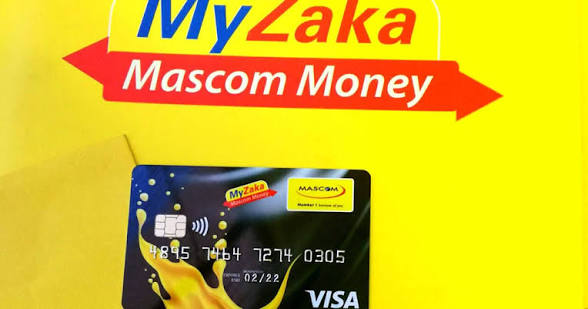
Botswana — BWP
Dial prefix +267. Amounts in thebe (1 BWP = 100 thebe). Botswana numbers are 8 digits.

Namibia — NAD
Dial prefix +264. Amounts in cents (1 NAD = 100 cents).

Settlement Times & Daily Limits
| Network | Currency | Typical settlement | Max single tx | Daily limit |
|---|---|---|---|---|
| MTN Zambia | ZMW | < 30 seconds | 150,000 ZMW | 500,000 ZMW |
| Airtel Money | ZMW | < 30 seconds | 150,000 ZMW | 500,000 ZMW |
| ZAMTEL | ZMW | < 60 seconds | 50,000 ZMW | 200,000 ZMW |
| EcoCash | ZiG / USD | < 45 seconds | USD 500 | USD 2,000 |
| OneMoney | ZiG / USD | < 60 seconds | USD 300 | USD 1,000 |
| Orange Money | BWP | < 30 seconds | 50,000 BWP | 100,000 BWP |
| Mascom MyZaka | BWP | < 30 seconds | 30,000 BWP | 80,000 BWP |
| MTC Money | NAD | < 45 seconds | 100,000 NAD | 300,000 NAD |
| FNB eWallet | NAD | 1–3 minutes | 50,000 NAD | 150,000 NAD |
Phone Number Format Guide
All phone numbers must be passed in E.164 format without the leading +. Do not include spaces, dashes, or parentheses. If a customer provides a local number with a leading 0, strip the 0 and prepend the country code.
| Country | Country code | Local format | API format | Example |
|---|---|---|---|---|
| ZM Zambia | 260 | 09X XXX XXXX | 260 9X XXX XXXX | 260971234567 |
| ZW Zimbabwe | 263 | 07X XXX XXXX | 263 7X XXX XXXX | 263771234567 |
| BW Botswana | 267 | 7X XXX XXX (8 digits) | 267 7X XXX XXX | 26774123456 |
| NA Namibia | 264 | 08X XXX XXXX | 264 8X XXX XXXX | 264811234567 |
/** Convert local or E.164 phone to NexaPay API format */
function toApiPhone(raw, countryCode) {
  const digits = raw.replace(/\D/g, '');  // strip non-digits
  if (digits.startsWith(countryCode)) return digits;
  if (digits.startsWith('0')) return countryCode + digits.slice(1);
  return countryCode + digits;
}
toApiPhone('0971 234 567', '260');  // → '260971234567'
toApiPhone('+263771234567', '263');  // → '263771234567'
import re
def to_api_phone(raw: str, country_code: str) -> str:
digits = re.sub(r'\D', '', raw)
if digits.startswith(country_code): return digits
if digits.startswith('0'): return country_code + digits[1:]
return country_code + digitsFull endpoint reference — v2
Base URL:
Payments
Payouts
Payment Links
Webhooks & Account
Rate Limits
Common Request Headers
| Header | Required | Value |
|---|---|---|
| Authorization | required | Bearer npay_live_sec_… — your secret key. Use npay_test_sec_… for sandbox. |
| Content-Type | required (POST/PATCH) | application/json |
| Idempotency-Key | optional | Any UUID or unique string. Makes the request safe to retry — same key returns the cached response for 24 hours. |
| X-NexaPay-Version | optional | Pin to a specific API version, e.g. 2025-01-01. Omit to use your account's default version. |
| Accept-Language | optional | ISO 639-1 code. Used to localise error messages. Supported: en · sn · ny |
Full Charge Endpoint — Request & Response
POST /v2/payments/charge HTTP/1.1
Host: api.nexapay.net
Authorization: Bearer npay_live_sec_...
Content-Type: application/json
Idempotency-Key: a1b2c3d4-e5f6-7890-abcd-ef1234567890

{
  "phone_number":  "260971234567",
  "amount":       50000,
  "currency":     "ZMW",
  "network":      "MTN",
  "reference":    "ORD-001",
  "description":  "Electricity top-up",
  "callback_url": "https://myapp.com/webhooks/nexapay",
  "metadata": { "user_id": "usr_888", "plan": "premium" }
}
HTTP/1.1 200 OK
Content-Type: application/json
{
"status": "success",
"data": {
"transaction_id": "txn_01J9XKABCDEF",
"status": "pending",
"phone_number": "260971234567",
"amount": 50000,
"currency": "ZMW",
"network": "MTN",
"reference": "ORD-001",
"ussd_code": null, // set on networks that use USSD
"expires_at": "2025-09-01T11:05:00Z", // customer has 3 min
"created_at": "2025-09-01T11:02:00Z"
}
}HTTP/1.1 400 Bad Request
Content-Type: application/json
{
"status": "error",
"message": "Validation failed",
"error_code": "MISSING_FIELD",
"errors": {
"network": "network is required",
"amount": "amount must be a positive integer"
}
}Pagination
All list endpoints return paginated results. Use page (1-based) and limit (max 100, default 20) query parameters. The response includes a meta object with total count and page info.
GET /v2/payments?status=success&page=2&limit=50&from=2025-01-01&to=2025-09-30 HTTP/1.1
Authorization: Bearer npay_live_sec_...
{
"status": "success",
"data": [ { ... }, { ... } ],
"meta": {
"total": 1843,
"page": 2,
"limit": 50,
"total_pages": 37,
"has_next": true,
"has_prev": true
}
}Idempotency
Pass a unique Idempotency-Key header on all POST requests to safely retry on network failures. NexaPay caches the response for that key for 24 hours. The same key from the same account always returns the same response — no duplicate charge or payout is created.
import { randomUUID } from 'node:crypto';
// Derive a stable key from your order ID so retries reuse the same key
const idempotencyKey = `charge-${orderId}`;

await fetch('https://api.nexapay.net/v2/payments/charge', {
  method: 'POST',
  headers: {
    'Authorization':   `Bearer ${SK}`,
    'Content-Type':    'application/json',
    'Idempotency-Key': idempotencyKey       // safe to retry
  },
  body: JSON.stringify({ ... })
});
curl -X POST https://api.nexapay.net/v2/payments/charge \
-H "Authorization: Bearer npay_live_sec_..." \
-H "Content-Type: application/json" \
-H "Idempotency-Key: charge-ORD-001" \
-d '{"phone_number":"260971234567","amount":50000,"currency":"ZMW","network":"MTN","reference":"ORD-001"}'Versioning & Deprecation Policy
NexaPay follows calendar-based API versioning. The current stable version is v2 (released January 2025). Breaking changes are never introduced within a major version. When a new major version is released, the previous one is supported for at least 12 months before sunset. You will receive email notice at 90 days, 30 days, and 7 days before deprecation.
What's new in NexaPay API
Release history, fixes, and breaking changes — ordered newest first.
2025 Releases
NAD currency, MTC Money (081x) and FNB eWallet (060x). Charge and payout endpoints fully supported.callback_url, and improved error codes.2600750–2600759 were incorrectly rejected at validation. Fixed — ZAMTEL 075x prefixes are now correctly identified and routed."type":"flexible" — customers can enter their own amount at checkout. Useful for donations and top-ups. Minimum and maximum amounts can be enforced via min_amount / max_amount.api.nexapay.net/v1) will stop accepting new traffic on 31 December 2025. Migrate all calls to /v2 and replace network_code (v1) with network (v2) in your request bodies.X-RateLimit-Limit, X-RateLimit-Remaining, and X-RateLimit-Reset headers. Use these to implement adaptive throttling in your integration.074x, 075x) and Mascom MyZaka (071x, 072x). BWP is denominated in thebe (100 thebe = 1 BWP).2024 Releases
077x, 078x) and OneMoney (071x). Both ZiG and USD are accepted. USD amounts use cents as the smallest unit.sandbox.nexapay.net/v2.KYC Verification
NexaPay requires Know Your Customer (KYC) document checks before a merchant can process live transactions. This page covers accepted documents per country, the submission flow, webhook events, and how verification state is stored in the database.
Overview
KYC verification is enforced at the merchant account level via the verification_status field on the profiles table. Until a merchant's status reaches verified, all payment endpoints return HTTP 403 with error code MERCHANT_NOT_VERIFIED.
kyc-documents. Each file is stored under the path {user_id}/{document_type}/{filename} and is only accessible to NexaPay staff reviewers.Verification statuses
| Status | Description | Payment access |
|---|---|---|
| pending | Account created; no documents submitted yet. | Sandbox only |
| submitted | Documents uploaded; under manual review (1–3 business days). | Sandbox only |
| verified | Review passed. Account fully active. | Full live access |
| rejected | Review failed. Merchant must re-submit corrected documents. | Sandbox only |
Accepted Documents by Country
The document_type parameter in the upload API indicates the document category. A selfie (liveness photo) is always required alongside the primary document.
ZM Zambia (ZMW)
| Document | document_type value | Notes |
|---|---|---|
| National Registration Card (NRC) | zm_nrc | Front and back scan required. Must be valid (not expired). |
| Passport (SADC/COMESA) | zm_passport | Bio-data page + photo page. Valid for at least 6 months. |
| Selfie / Liveness | selfie | Clear face photo, no sunglasses. JPEG or PNG, max 5 MB. |
ZW Zimbabwe (ZiG / USD)
| Document | document_type value | Notes |
|---|---|---|
| National ID (Proof of Citizenship) | zw_national_id | Both sides. Must be a Zimbabwean National ID Card. |
| Passport | zw_passport | Bio-data page. Valid passport; not expired. |
| Selfie / Liveness | selfie | Clear face photo, no sunglasses. JPEG or PNG, max 5 MB. |
BW Botswana (BWP)
| Document | document_type value | Notes |
|---|---|---|
| Omang (National ID) | bw_omang | Front and back. The Omang is Botswana's primary citizen ID. |
| Passport | bw_passport | Bio-data page. Must be a Botswana passport, not expired. |
| Selfie / Liveness | selfie | Clear face photo, no sunglasses. JPEG or PNG, max 5 MB. |
NA Namibia (NAD)
| Document | document_type value | Notes |
|---|---|---|
| Namibian National Identity Document | na_national_id | Green book / smart card — front and back scan required. |
| Passport | na_passport | Bio-data page. Must be a Namibian passport, not expired. |
| Selfie / Liveness | selfie | Clear face photo, no sunglasses. JPEG or PNG, max 5 MB. |
Document Upload API
Use POST /api/verification/upload to upload a document. This endpoint accepts multipart/form-data. Authentication is via Bearer token (see the Authentication page). The merchant's verification_status is updated automatically to submitted once at least one primary document and a selfie have been uploaded.
const FormData = require('form-data');
const fs = require('fs');
const axios = require('axios');

const form = new FormData();
form.append('document_type', 'zm_nrc');        // e.g. zm_nrc, bw_omang, na_national_id
form.append('country', 'ZM');
form.append('file', fs.createReadStream('./nrc_front.jpg'));

const res = await axios.post(
  'https://api.nexapay.net/api/verification/upload',
  form,
  { headers: { ...form.getHeaders(),
      'Authorization': `Bearer ${ACCESS_TOKEN}` } }
);
console.log(res.data);
curl -X POST https://api.nexapay.net/api/verification/upload \
  -H "Authorization: Bearer <ACCESS_TOKEN>" \
  -F "document_type=zm_nrc" \
  -F "country=ZM" \
  -F "file=@/path/to/nrc_front.jpg"
Response
{
  "document_id": "doc_01HY3K...",
  "document_type": "zm_nrc",
  "status": "uploaded",
  "storage_path": "kyc-documents/a1b2c3d4-e5f6-7890-abcd-ef1234567890/zm_nrc/nrc_front.jpg",
  "merchant_verification_status": "submitted",
  "created_at": "2025-06-01T09:30:00Z"
}
Database Schema
Verification state is stored on the profiles table (managed by server.js / Supabase). Document metadata lives in a separate verification_documents table.
-- profiles table (excerpt)
ALTER TABLE profiles
  ADD COLUMN verification_status TEXT
    NOT NULL DEFAULT 'not_started'
    CHECK (verification_status IN
      ('not_started', 'submitted', 'verified', 'rejected'));

-- verification_documents table
CREATE TABLE verification_documents (
  id               UUID PRIMARY KEY DEFAULT gen_random_uuid(),
  user_id          UUID NOT NULL REFERENCES profiles(id),
  document_type    TEXT NOT NULL,
  country          CHAR(2) NOT NULL,
  storage_path     TEXT NOT NULL,
  status           TEXT NOT NULL DEFAULT 'uploaded',
  reviewer_notes   TEXT,
  created_at       TIMESTAMPTZ DEFAULT now()
);
Webhook Events
NexaPay fires webhook events when a merchant's verification status changes. Subscribe to these on the Webhooks page.
| Event | Fired when |
|---|---|
kyc.submitted | Merchant uploads a complete document set (primary doc + selfie). |
kyc.verified | Manual review passes. verification_status → verified. |
kyc.rejected | Review fails. Payload includes rejection_reason. |
kyc.re_submitted | Merchant re-submits after a rejection. |
Integration with auth & server.js
The sign-up flow in auth creates a row in the profiles table (via server.js POST /api/auth/profile) with verification_status = 'not_started'. After registration, the Dashboard redirects the merchant to the KYC upload wizard.
verified status allows live payment processing. Sandbox-mode requests always succeed regardless of verification_status — set X-NexaPay-Mode: sandbox in your request headers during development.Return funds or cancel payouts
Refund any completed pay-in within 30 days. Reverse a payout while it is still in pending state.
Full Refund
Omit amount to refund the entire original transaction. Refunds are only available within 30 days of the original charge and only when payment status is completed.
// Full refund — omit amount for the full transaction
const res = await fetch('https://api.nexapay.net/v2/refunds', {
  method:  'POST',
  headers: {
    'Authorization': `Bearer ${SK}`,
    'Content-Type': 'application/json'
  },
  body: JSON.stringify({
    payment_id: 'pay_01HXYZ...',
    reason:     'customer_request',
    reference: 'REF-001'
  })
});
const refund = await res.json();
// { id: "rfd_01...", status: "processing", amount: 100000, currency: "ZMW" }
curl -X POST https://api.nexapay.net/v2/refunds \
-H "Authorization: Bearer npay_live_sec_..." \
-H "Content-Type: application/json" \
-d '{"payment_id":"pay_01HXYZ...","reason":"customer_request","reference":"REF-001"}'Partial Refund
Include amount in the smallest currency unit to refund a portion. Multiple partial refunds are allowed as long as the cumulative total does not exceed the original transaction amount.
// Partial refund — ZMW 50 of a ZMW 200 payment
await fetch('https://api.nexapay.net/v2/refunds', {
  method:  'POST',
  headers: { 'Authorization': `Bearer ${SK}`, 'Content-Type': 'application/json' },
  body: JSON.stringify({
    payment_id: 'pay_01HXYZ...',
    amount:     5000,  // ZMW 50.00 in smallest unit
    reason:     'partial_service',
    reference: 'REF-002'
  })
});
curl -X POST https://api.nexapay.net/v2/refunds \
-H "Authorization: Bearer npay_live_sec_..." \
-d '{"payment_id":"pay_01HXYZ...","amount":5000,"reason":"partial_service","reference":"REF-002"}'Check Refund Status
const res = await fetch(
  `https://api.nexapay.net/v2/refunds/${refundId}`,
  { headers: { 'Authorization': `Bearer ${SK}` } }
);
// { id, status: "completed"|"failed"|"processing", amount, created_at }
curl https://api.nexapay.net/v2/refunds/rfd_01HXYZ \
-H "Authorization: Bearer npay_live_sec_..."List Refunds for a Payment
const res = await fetch(
  `https://api.nexapay.net/v2/payments/${paymentId}/refunds`,
  { headers: { 'Authorization': `Bearer ${SK}` } }
);
const { data } = await res.json();
// data: [{ id, status, amount, created_at }, ...]
curl https://api.nexapay.net/v2/payments/pay_01HXYZ/refunds \
-H "Authorization: Bearer npay_live_sec_..."Reverse a Payout
const res = await fetch(
  `https://api.nexapay.net/v2/payouts/${payoutId}/reversal`,
  {
    method:  'POST',
    headers: { 'Authorization': `Bearer ${SK}`, 'Content-Type': 'application/json' },
    body: JSON.stringify({ reason: 'wrong_recipient' })
  }
);
// { id: "rev_01...", payout_id, status: "reversed", reversed_at }
curl -X POST https://api.nexapay.net/v2/payouts/po_01HXYZ/reversal \
-H "Authorization: Bearer npay_live_sec_..." \
-d '{"reason":"wrong_recipient"}'Webhook Events
| Event | When fired |
|---|---|
| refund.completed | Refund settled to customer wallet successfully |
| refund.failed | Refund processing failed — retry or contact support |
| payout.reversed | Payout reversal succeeded; funds restored to merchant wallet |
Request Parameters — POST /v2/refunds
| Parameter | Type | Description |
|---|---|---|
| payment_idrequired | string | ID of the original completed payment — format pay_01… |
| amount | integer | Refund amount in smallest currency unit. Omit for a full refund. |
| reason | string | customer_request · duplicate · fraud · partial_service |
| reference | string | Your idempotency key. Duplicate references return the existing refund. |
Error Codes
| Code | Meaning |
|---|---|
| PAYMENT_NOT_FOUND | No payment with that ID exists on your account |
| PAYMENT_NOT_REFUNDABLE | Payment is not completed or is older than 30 days |
| REFUND_EXCEEDS_ORIGINAL | Cumulative refund amount exceeds the original transaction amount |
| PAYOUT_NOT_REVERSIBLE | Payout has already settled and cannot be reversed |
| DUPLICATE_REFERENCE | A refund with this reference was already processed (idempotent response returned) |
Fees per country — pay-in & payout
All charges are deducted from your merchant wallet. NexaPay absorbs telco pass-through fees — you pay one flat platform fee per transaction.
Charges by Country

Pay-in · USD
At-a-Glance Summary
| Country | Currency | Pay-in fee | Payout fee | Min / Max fee |
|---|---|---|---|---|
| ZM Zambia | ZMW | 1.5% | 1.0% | ZMW 1.50 / ZMW 150 |
| ZW Zimbabwe | ZiG / USD | 2.0% | 1.5% | USD 0.10 / USD 10 |
| BW Botswana | BWP | 1.5% | 1.0% | BWP 0.50 / BWP 50 |
| NA Namibia | NAD | 1.5% | 1.0% | NAD 1.00 / NAD 75 |